Know what the job earns.
Travel, admin, fees and costs belong in the calculation. Find the visit rate that meets your own hourly target.
FREE TO USE · NO SIGNUP
Quotes and invoices.
Ready to send.
Add the job details. Download a PDF for your client.
Open free Sitter Studio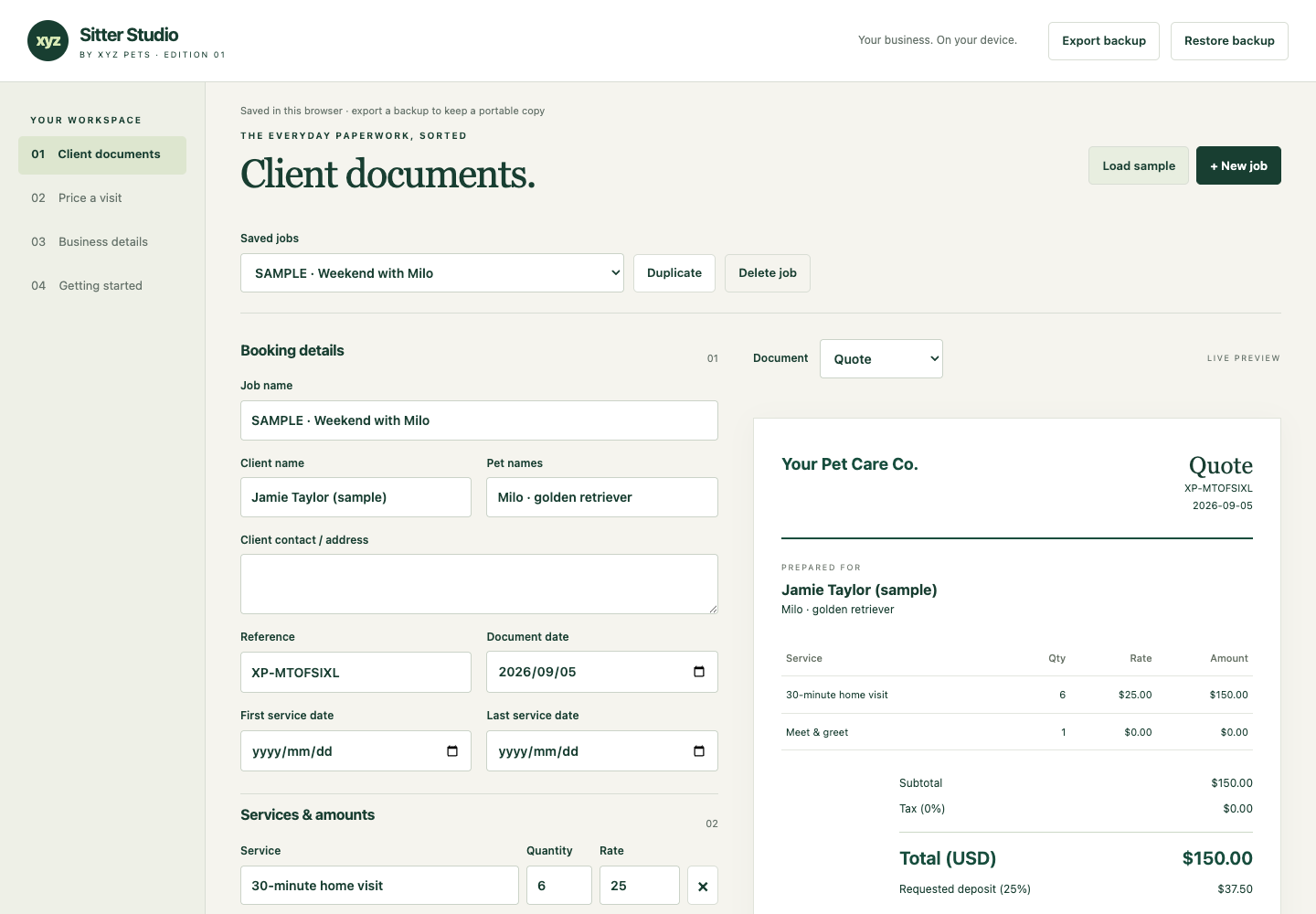
Travel, admin, fees and costs belong in the calculation. Find the visit rate that meets your own hourly target.
Prepare quotes, invoices and client updates with your business details, currency and document accent.
Save jobs in your browser. Export a portable backup and client documents. Use the downloaded app without an internet connection.
A FREE TOOL, RIGHT HERE
A 30-minute visit rarely takes just 30 minutes.
Try the
example, then use your own numbers.
YOUR TIME, PROPERLY COUNTED
Effective hourly earnings
$23.49This quote falls below your hourly target.
Enter valid values in the highlighted fields to see an estimate.
Revenue = visits × rate. Fees = revenue × entered fee percentage, rounded to cents. Costs = visits × travel cost + other booking costs. Working hours = [visits × (care minutes + round-trip travel minutes) + booking admin minutes] ÷ 60. Effective hourly earnings = (revenue − fees − costs) ÷ working hours.
The target rate covers entered costs and target hourly earnings after the percentage fee, rounded up to the next cent. This estimate excludes income tax, sales tax and unentered costs. It does not determine a suitable market rate or guarantee earnings. For an overnight stay, account for all time you consider committed to that booking.
Worked example: 10 × $25 visits, 30 minutes care + 20 minutes travel each, 30 total admin minutes, $3 travel per visit, $5 other costs and 3% fees yields $207.50 before income tax over 8.83 hours: $23.49/hour. A $25/hour target requires $26.38 per visit.
ONE TOOLKIT. YOUR BUSINESS.
Designed for independent pet sitters and dog walkers who want reusable documents. Open the studio now, or download a copy for offline use.
Free Edition 01 · no signup or payment
Start in your browser. Your client details stay on your device.
Open free Sitter StudioUse it on this website. No installation needed. Download finished quotes, invoices and updates as PDFs.
Optional: save the studio as a web-page file (.html) and open it in a desktop browser. This is the app, not a document to send to a client.
Download while online. Browser and offline copies save separately. Back up your work to move it between copies.
One business license. Desktop browser recommended.
No app
account, subscription, or AI credits required.
BEFORE YOU START
Yes. Edition 01 is free to use and download, including the app and handoff PDFs. No account, email address or payment is required. You can keep using your downloaded edition.
You can open the studio in your browser immediately. For offline use, download the app and open the saved HTML file in a desktop browser. The complete ZIP also includes both handoff PDFs and instructions. Browser and downloaded copies save separately; use Export backup and Restore backup to move your jobs.
No. It prepares documents and calculates amounts. Add your own payment instructions, send the document yourself, and record payments received. It does not connect to a bank or replace your accounting system.
In your browser on your device, where supported. They are not uploaded to XYZ Pets. Export backups regularly: clearing browser data, changing browsers or moving the app file can make local saves unavailable. Keep backups and exported client documents private.
Our free sitter instructions and pet owner tools are still available for free.
No. Use your own reviewed service terms and follow the pet owner’s and vet’s care instructions. Check the invoicing and tax requirements that apply to your business.